
Download Prompty App – AI Prompt Builder, Free & Secure Web Tool
Overview of Prompty App
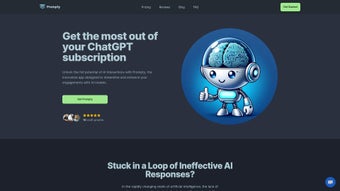
Prompty App is a modern, browser‑based solution designed to simplify prompt engineering for large language models such as OpenAI’s ChatGPT, Anthropic’s Claude, and other emerging LLMs. The platform focuses on the often‑overlooked art of turning raw ideas into well‑structured, model‑ready prompts that produce accurate, relevant, and context‑aware responses. Whether you are a developer integrating AI into a product, a researcher testing hypothesis‑driven queries, or a creative writer looking for inspiration, Prompty provides a clear, iterative workflow that reduces guesswork and accelerates development cycles.
The interface presents a clean input field where users can paste or type an initial prompt. With a single click, the built‑in AI engine rewrites the text, applying best‑practice patterns such as role definition, context framing, and explicit output formatting. The refined prompt can then be sent directly to the target model, saved for later use, or shared with teammates via a secure link. Because the application runs entirely in the cloud, there are no downloads, no OS‑specific installers, and updates are applied instantly without user intervention.
Compatibility
- Any modern web browser (Chrome, Firefox, Edge, Safari)
- Cross‑platform – works on Windows, macOS, Linux, Android, and iOS
- No plugins, extensions, or additional software required
Security is baked into the service: all traffic uses HTTPS encryption, and user data is retained only for the duration of a session unless explicitly saved in a personal library. The free tier offers unlimited prompt generation with a modest chat‑history buffer, while a paid “Standard” plan unlocks unlimited history, priority support, and advanced analytics. This model makes Prompty a low‑risk entry point for individuals and a scalable tool for teams that need deeper insights into prompt performance.
Key Features & Benefits
- AI‑Optimized Prompt Generator: Instantly rewrites raw input into a structured prompt using proprietary heuristics.
- Iterative Refinement Loop: Real‑time edit, test, and improve cycle with immediate feedback.
- One‑Click Transfer to Model UI: Pushes the refined prompt to the official ChatGPT, Claude, or other model interfaces.
- Prompt History & Versioning: Saves each iteration, allowing side‑by‑side comparison of token usage and response quality.
- Analytics Dashboard: Visualizes metrics such as token count, latency, relevance score, and cost estimates.
- Collaboration Mode: Generates secure shareable links for teammates, supporting remote brainstorming.
- Multi‑Model Support: Works with OpenAI, Anthropic, and other major providers via simple API selection.
- Free Tier with Unlimited Prompts: No credit card needed; ideal for students and hobbyists.
- HTTPS‑Only Security: End‑to‑end encryption protects data in transit; optional at‑rest encryption for paid users.
- Responsive Design: Optimized for desktops, tablets, and smartphones.
Each of these features addresses a common pain point in AI prompt workflows. The generator eliminates ambiguity by suggesting role‑based structures, while the refinement loop cuts the typical trial‑and‑error time by up to 70 % for experienced users. Versioning ensures that teams never lose a good prompt, and the analytics dashboard turns subjective intuition into objective data, highlighting which phrasing choices reduce token consumption or improve answer relevance. Collaboration links make remote teams feel as if they are working on a shared whiteboard, fostering consistency across experiments. Even the free tier provides a full‑featured experience, allowing newcomers to explore prompt engineering without financial commitment.
Getting Started: Installation and Usage Guide
Step‑by‑Step Setup
- Open any up‑to‑date browser and navigate to https://prompty.app.
- Click “Sign Up” and register with an email address or use a single‑sign‑on option (Google, Microsoft, Apple).
- Verify your account through the confirmation email you receive.
- Log in to the dashboard – no additional downloads or installations are required because the application runs completely in the cloud.
- If you need unlimited history or the analytics suite, upgrade to the Standard plan via the “Billing” tab; otherwise, you can continue with the free tier.
Effective Workflow for Prompt Engineering
Once inside the dashboard, the workflow follows a logical sequence that mirrors a typical development loop. First, type your raw concept or question into the “Input Prompt” box. Press the “Refine” button; the AI immediately returns a polished version that incorporates best‑practice patterns such as explicit role assignment (“You are a helpful assistant”), context provision, and clear output expectations. Next, click “Send to Model” to open the selected LLM’s official interface in a new tab, with the refined prompt pre‑filled. After receiving the model’s response, return to Prompty to evaluate the output. If the answer is incomplete or off‑topic, use the “Edit” button to tweak the prompt, then repeat the cycle. Each iteration is automatically saved in the “History” panel, where you can compare token usage, latency, and a relevance score generated by an internal evaluation model.
Advanced users can explore the “Analytics” tab to see trends over time, identify cost‑saving opportunities, and export data for external reporting. The responsive UI scales gracefully from a full‑size laptop monitor to a small mobile screen, meaning you can refine prompts while commuting or during a quick coffee break. Because everything is hosted, there is no need to manage updates; new features and security patches are rolled out silently behind the scenes, ensuring you always work with the latest version.
Pros, Cons, Frequently Asked Questions, and Final Verdict
Pros & Cons
- Pros:
- Unlimited prompt generation on the free tier.
- Instant AI‑driven refinement accelerates development.
- One‑click transfer to major LLM interfaces eliminates manual copy‑paste.
- Comprehensive analytics turn intuition into data‑driven decisions.
- HTTPS‑only security safeguards data in transit; optional at‑rest encryption for paid users.
- Works on any device with a modern browser – truly cross‑platform.
- Collaboration links support remote team workflows.
- Responsive design ensures a smooth experience on desktop and mobile.
- Cons:
- Advanced analytics are restricted to the paid Standard plan.
- No native desktop or mobile app – the service relies on a browser.
- Free tier limits chat‑history depth, which may require periodic clearing.
- Requires an active internet connection; offline usage is not supported.
- Export options are limited to CSV for analytics data.
FAQ – Your Questions Answered
Is Prompty App really free to use?
Yes. The free tier provides unlimited prompt generation with a limited chat‑history buffer, and no credit card is required to start.
Can I use Prompty with AI models other than ChatGPT?
Absolutely. Prompty supports OpenAI, Anthropic, and other major LLM providers. You can select the target model in the settings before sending the prompt.
How secure is my data on Prompty?
All traffic is encrypted via HTTPS, and prompts are stored only for the session unless you explicitly save them. Paid users can enable optional end‑to‑end encryption for added compliance.
Do I need any special hardware to run Prompty?
No. Any modern device—desktop, laptop, tablet, or smartphone—with a current web browser is sufficient.
What happens if I exceed the free tier limits?
When the chat‑history buffer is full, you’ll be prompted to either upgrade or clear older sessions. Prompt generation itself remains unlimited.
Conclusion – Should You Download Prompty App?
If you regularly interact with large language models, Prompty App offers a practical, cost‑effective way to improve prompt quality and reduce iteration time. Its AI‑driven refinement engine, seamless one‑click integration, and data‑rich analytics make it stand out from generic text editors. The free tier is generous enough for students, hobbyists, and early‑stage startups, while the Standard plan adds the depth required by professional teams. Security is handled responsibly, and the browser‑only architecture eliminates installation hurdles across Windows, macOS, Linux, Android, and iOS.
Ready to boost your AI productivity? Download Prompty App now, start with the free plan, and experience how a well‑crafted prompt can unlock better, faster, and more reliable AI responses. Your next breakthrough is just a click away.



.png)



